How Watercolor Christmas Clipart Fits Into Your Creative Workflow
Watercolor Christmas clipart has become a go‑to resource for anyone producing holiday‑themed materials. Unlike generic vector icons or stiff stock photos, watercolor assets bring a handmade, organic feel to digital projects. But to get the most out of them—whether you are designing a family newsletter, a shop banner, or a classroom activity—you need to understand how these assets behave within your existing process. This article walks through practical ways to plan, organize, and implement watercolor Christmas clipart so it enhances your work without creating extra friction.
What Watercolor Christmas Clipart Actually Is
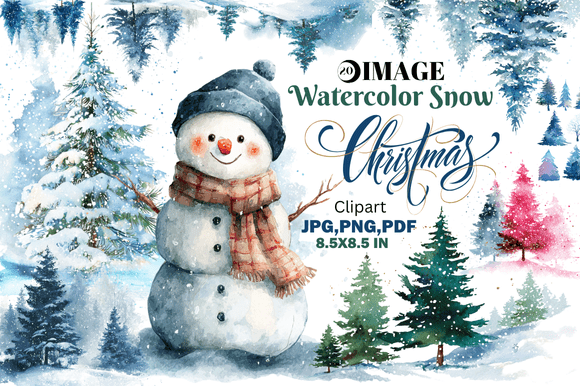
At its core, watercolor Christmas clipart is a collection of digital images created using traditional watercolor painting techniques, then scanned or photographed at high resolution. The resulting files preserve brush strokes, color blooms, and paper texture. Common subjects include wreaths, ornaments, holly, snowflakes, Christmas trees, Santa hats, and gift boxes. Because the medium is hand‑painted, each piece has subtle irregularities—soft edges, uneven pigment, slight bleeding—that give it a tactile, human quality.
Most watercolor Christmas clipart comes in PNG format with transparent backgrounds, making drop‑in placement straightforward. Some sets also include JPEG versions, layered PSD files, or even SVG traces for scalable vector use. The key advantage is the texture: you can layer the clipart over solid backgrounds, photos, or patterned paper without losing that painterly look. This quality makes it popular among small business owners, social media managers, and educators who want to avoid the sterile appearance of purely digital graphics.
Where It Fits in a Broader Process
Watercolor Christmas clipart is not a standalone solution; it is a component you integrate into a larger production pipeline. Before the clipart even enters your workflow, you must decide on the project’s output: a printable card, an Instagram story, a website hero, a video overlay, or a product label. The clipart you choose, the resolution you need, and the editing required all depend on that end use. Thinking of it as a resource input rather than a magic fix saves time and improves consistency.
For example, a blogger creating a holiday recipe roundup might use watercolor Christmas clipart for the featured image and section dividers. An Etsy seller designing gift tags would rely on the same clipart for multiple product listings. In both cases, the clipart interacts with a design tool (Canva, Photoshop, Illustrator, Affinity), the brand color palette, and the chosen print or export settings. Planning this interaction early prevents last‑minute rescaling or color mismatches.
Preparation and Sourcing
The upfront work matters most. Start by identifying the exact clipart sets you need. Look for collections that include multiple coordinated elements—for instance, a single set with pine branches, berries, and baubles in the same style. This ensures visual harmony without having to mix sources that clash in texture or saturation. Pay attention to licensing: commercial use terms vary, and if you plan to sell printed items or digital products, you need a license that covers that.
Once you have the files, organize them by subject or purpose. Create folders like “Wreaths,” “Ornaments,” “Christmas Trees,” and “Mixed Elements.” If the set includes both PNG and SVG versions, keep them separate because SVG files handle resizing better without pixelation but may lack the watercolor texture when stroked. Also note the file dimensions: most watercolor clipart is offered at 300–600 dpi, which works well for both screen and print. For large‑format banners, check that the original scan is big enough; upscaling a 1000 px image to 48 inches will degrade quality.
During the Design Phase
When you begin laying out your project, treat watercolor clipart as you would a physical collage element. Because of the transparency edges, layer them carefully. If you place a watercolor snowflake over a dark background, the faint residual paint around the edges might show. Test different blending modes (Multiply, Screen, Overlay) to see which preserves the paper texture without muddying the colors. In Canva, you can often stack a watercolor element on top of a solid shape and adjust transparency. In Photoshop, using Layer Styles like Outer Glow can soften the edge transition.
Think about composition. Watercolor clipart typically looks best when it is not overcrowded. Let one or two pieces serve as focal points—a large wreath framing a photo, or a cluster of ornaments in a corner. Because the brushstrokes are visually busy, too many overlapping elements can make the design feel chaotic. Use negative space to balance the texture. For social media graphics, where mobile screens are small, a single watercolor Christmas tree on a white background with clean typography can be very effective.
Integration with other assets is also important. If you are pairing the clipart with a photograph, choose photos that have warm, soft lighting. Harsh flash or cool tones can clash with the gentle colors of watercolor. For brand materials, adjust the clipart’s hue or saturation to match your palette—most design tools allow you to recolor PNGs using adjustment layers or filters. However, remember that heavy recoloring desaturates the paint effect, so start with clipart that is already close to your intended colors.
After the Project: Storage and Reusability
One of the strongest arguments for investing in quality watercolor Christmas clipart is reusability. A single set can serve across multiple seasons if you store the assets systematically. After completing a project, rename the files with descriptive, searchable titles (e.g., “Watercolor_Wreath_Red_Berries.png” instead of “IMG_4231.png”). Maintain a master folder for all holiday clipart, and within it, subfolders by year or campaign. This way, next December you can quickly find elements that already fit your established style.
Keep a log of which clipart sets you used for which clients or products. If you run a print‑on‑demand shop, you may need to re‑order a set for a new batch of cards. Having a record of the file name and the vendor saves you from hunting through purchase history. Also, archive project files (PSD, AI, Canva templates) with the clipart embedded or linked, so future edits do not break the layout.
Preparation and Compatibility
- Check resolution first. For web use, 150–200 dpi is adequate. For print, use 300 dpi or higher. If the clipart is too small, look for an alternative set rather than forcing an enlargement that turns the edges blurry.
- Confirm the background is truly transparent. Some cheap clipart has leftover white pixels. Open the file in a graphics editor and use a “select color range” tool to clean it up. A quick layer test on a colored background will reveal any issues.
- Mind the file format. PNG is the standard for watercolor clipart. Avoid using JPEG for images that need transparency; JPEG compression also degrades the delicate brush edges. Use SVG only if the watercolor effect is rendered with fills and strokes, not photographs of paint.
Organization for Efficiency
- Create a central asset library: a cloud folder (Google Drive, Dropbox, or a synced local folder) where you keep all purchased watercolor clipart. Tag files in your digital asset management system if you use one.
- Use naming conventions that make sense for how you search. For example: “Theme_Subject_Variant_Color.png” (Christmas_Ornament_Red_01).
- If you work in a team, share a link to the master folder and include a short PDF with usage guidelines—preferred blending modes, color adjustment steps, and a list of compatible fonts.
Quality Control and Consistency
- Before using a new set in a client project, test it on a mockup that matches the final output. Look for color shifts across different screens or print proofs.
- Maintain a consistent aesthetic across projects by selecting clipart from the same artist or collection whenever possible. Mixing styles (heavy wet‑on‑wet with dry brush portraits) can look disjointed.
- If you are adjusting colors, do so globally across all elements in a series to keep the holiday palette uniform. A slight hue variance between a wreath and a star becomes obvious when they appear on the same page.
Long‑Term Use and Scalability
Watercolor Christmas clipart is not a trend that will expire in one season. Because it relies on classic techniques, the style remains appealing year after year. To make it a lasting part of your toolkit, invest in sets that offer high resolution (at least 3000 px on the longest side) and include separate elements rather than whole compositions. Separate elements give you maximum flexibility to scale, rotate, and combine them as your needs evolve.
Consider building a set of “evergreen” holiday templates—like a basic card layout or a social media post frame—that uses your favorite watercolor clipart. Each year you can swap out the colors or add a new element without starting from scratch. This approach saves time and ensures brand consistency for businesses that repeat similar promotions.
How Watercolor Clipart Interacts with Other Tools and Decisions
Watercolor Christmas clipart seldom works in isolation. It goes hand‑in‑hand with typography choices (script fonts often complement the hand‑painted look), with background textures (kraft paper or linen mimics the art feel), and with layout grids. If you design in Canva, you can upload your clipart as a new element and use the platform’s transparency and shadow tools. In Adobe Illustrator, you can trace the clipart to create a live paint object, though you will lose the watercolor texture. For video editing (e.g., holiday greeting clips), import the PNG as an overlay with a soft blend mode and animate its opacity or position.
Decisions about licensing and budget also weave into the workflow. Free watercolor clipart often comes with restrictive licenses or lower quality, which can cause problems if your project takes off commercially. Spending a bit more on a well‑maintained set from a reputable seller (like on Creative Market or Etsy) often includes extended commercial licenses and higher res scans. Factor that cost into your project budget from the outset.
Finally, think about the people involved. If you work with a printer, ask if they prefer layered files or flattened PDFs—watercolor clipart’s transparency can confuse some RIP software. If you manage a team of designers, provide a style guide that references the specific clipart files. Clear communication upstream prevents rework downstream.
Watercolor Christmas clipart is not merely decorative; it is a functional component that, when handled with foresight, can speed up your production, elevate your visual quality, and create a cohesive holiday identity across multiple touchpoints. By treating it as part of a process—from sourcing and organization through integration and archiving—you turn an art asset into a reliable workflow tool.