The Essential Guide to Choosing the Perfect Coquette Christmas Mama PNG for Your Festive Projects
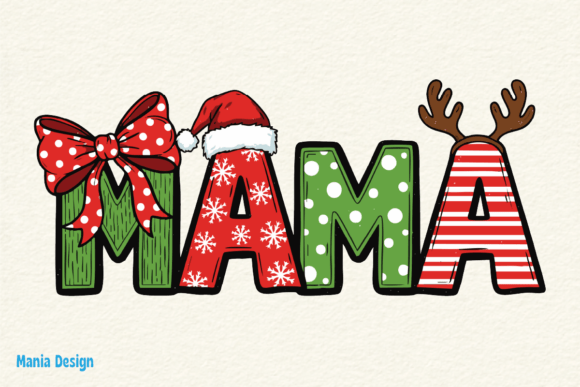
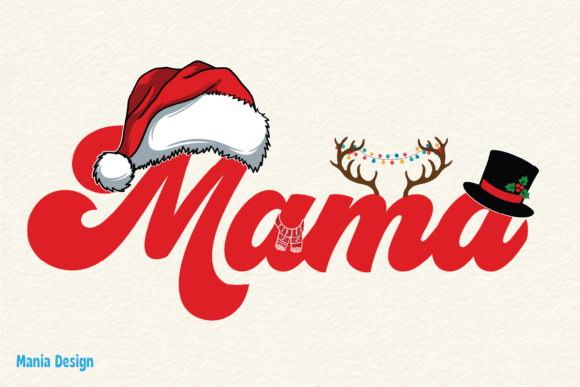
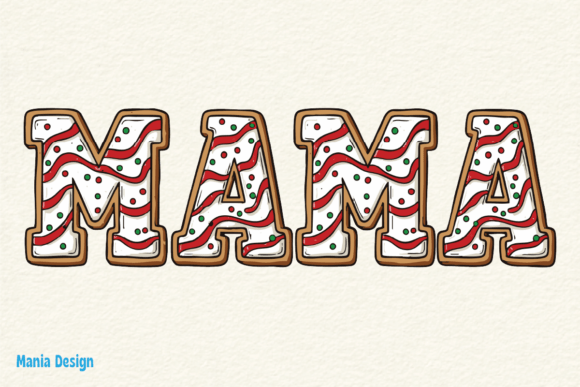
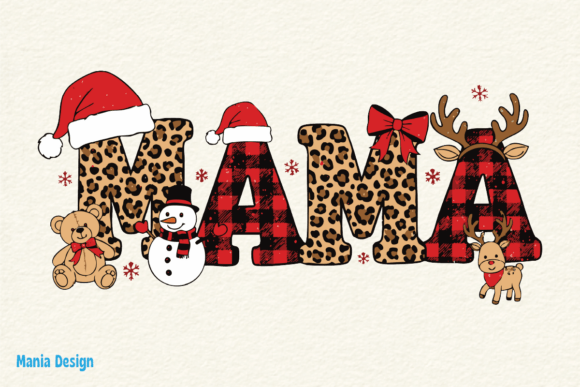
The soft romance of a velvet bow, the nostalgic warmth of a vintage Christmas illustration, and the heartfelt pride of being a mama—this is the magic captured in the Coquette Christmas Mama PNG trend. It has taken over digital crafting spaces, from Etsy shops to personal planners, because it perfectly balances feminine charm with holiday spirit. Whether you are designing a matching family Christmas tee, creating digital stickers for a bullet journal, or building a festive social media brand, this aesthetic asset can elevate your work instantly. However, the digital design world has its own set of hidden traps that can turn a dream project into a costly mistake. Let’s walk through the common pitfalls so you can create stunning, high-quality results every time.
Overlooking Resolution and Transparency Requirements
One of the most common mistakes beginners make is assuming all PNGs are created equal. A file that looks crisp and flawless on your laptop screen can turn into a blurry, pixelated disaster when printed on a t-shirt or a mug.
Why this hurts your project: Quality and presentation suffer immediately. A low-resolution image (72 DPI) is fine for web use, but print requires 300 DPI. If you download a “Coquette Christmas Mama” graphic that is only 500 x 500 pixels, you will see jagged edges on a physical product. Furthermore, check for true transparency. Some files are saved with a white box or a colored background baked in, advertised as “PNG” but utterly useless for layering on dark or patterned backgrounds.
The better approach: Before you hit “add to cart,” look at the product specifications. Aim for files that are at least 3000 x 3000 pixels at 300 DPI. Preview the image on a dark background in the seller’s listing to verify the transparency works correctly. If the design has intricate details like lace or thin bow strings, a high resolution is non-negotiable to maintain those delicate edges digitally and in print.
Misunderstanding Commercial Use Licenses
This is the most financially dangerous oversight for entrepreneurs and hobbyists alike. The line between personal use and commercial use is often blurry in the world of digital assets.
How it affects your business and satisfaction: Imagine you use a beautiful Festive Mom graphic to create a best-selling line of Christmas mugs on Amazon. A few months later, you receive a takedown notice because your standard license only covered 50 sales, not the 500 you moved. Not only do you lose the listing, but you also damage your seller account health.
What to check before buying:
- License Type: “Personal Use” means you cannot sell anything with the graphic. “Commercial Use” usually has a cap on the number of products you can sell (often 100 to 500 units).
- Print-on-Demand (POD) Restrictions: Some designers explicitly forbid using their work on Print-on-Demand platforms like Printful or Redbubble.
- Attribution: Some licenses require you to credit the designer in the product listing or packaging.
Practical advice: If you are scaling a small business, invest in an Extended Commercial License. It costs more upfront, but it removes the sales cap and gives you peace of mind. Read the shop’s FAQ or policy page—don’t just rely on the product title.
Misaligning the Design with the Coquette Aesthetic
The “Coquette” style has a very specific visual language: soft pastels, vintage florals, pearls, ribbons, and a delicate, almost dreamy quality. A common mistake is forcing a generic Christmas graphic into this mold.
The impact on communication and presentation: Using a bright, cartoonish Santa hat or a harsh, neon-green Christmas tree next to a beautiful lace bow creates a visual clash. It communicates inconsistency and lowers the overall polish of your project. The goal of the Coquette Christmas Mama PNG is to evoke a feeling of gentle nostalgia and feminine strength—loud or mismatched elements completely disrupt that narrative.
How to fix it: Stick to a curated color palette. Think cream, sage green, dusty rose, champagne gold, and muted cranberry. When layering your PNG, use backgrounds that support the aesthetic—soft gingham, vintage wallpaper textures, or simple solid creams with a subtle shadow effect applied to the PNG to give it depth. If the graphic includes text, ensure the font is a script or a serif, avoiding blocky or modern sans-serif styles.
Application-Specific Mistakes (POD, Planning, and Social)
How you use the PNG drastically changes what you need to look for. Using a generic file for every platform leads to frustration and wasted time.
Print-on-Demand (T-shirts, Totes, Hoodies)
Mistake: Choosing a design with extremely thin elements or tiny text. Result: These details get lost or crack after a single wash. Better: Look for “DTG Ready” designs or graphics with thicker, cohesive outlines. Ensure the PNG has a high contrast against the shirt color you intend to use.
Digital Planners and Stickers
Mistake: Importing a 3000px “Festive Mom” PNG directly into your GoodNotes or iPad planner. Result: Massive file size, app lag, and slow load times. Better: Create a separate folder of optimized stickers. Resize the PNG to 72 DPI and a maximum of 600-800 pixels for planner use. This preserves the visual quality on a tablet screen while keeping your workflow fast.
Social Media Graphics
Mistake: Overcrowding the graphic. The Coquette aesthetic is inherently intricate, and adding too many elements makes it look cluttered on a small phone screen. Result: Poor engagement, as viewers cannot read the text or see the main focal point. Better: Use the PNG as a strong focal point. Pair it with ample negative space and a single, clear call-to-action. Compress the final image using a tool like TinyPNG to maintain web quality without sacrificing load speed.
Sourcing Quality Assets from Trusted Creators
The final critical step is where you get your files. The internet is full of “free PNG” sites that often host stolen or AI-generated designs with no legal backing.
The hidden costs of poor sourcing: If you unknowingly use a design that an independent artist created, you risk copyright infringement. Many major print platforms (like Redbubble or Merch by Amazon) use automated takedown systems. Using a stolen asset can get your entire account terminated, not just the specific product.
Practical steps for safe shopping: Buy directly from designers on reputable marketplaces like Etsy, Creative Market, or Design Bundles. Look for shops with a high number of sales and consistent 5-star reviews. Check if the shop owner offers support—a good designer will answer questions about their licensing without hesitation. Avoid any listing that does not clearly state the file format, resolution, and license terms in the description.
A Final Checklist for Your Next Festive Project
Before you finalize your purchase or start creating, review these points to guarantee a smooth and satisfying experience:
- Resolution: Is it at least 300 DPI for print, or optimized for web/digital use?
- Transparency: Does the preview show a transparent background outside the design area?
- License: Does the license match your exact use case (personal, commercial capped, or extended)?
- Aesthetic Fit: Does the color palette and style genuinely match the Coquette theme you are building?
- Source: Are you buying from a trusted designer with clear policies and positive feedback?
- File Format: Do you need additional formats like SVG for cutting machines, or is a high-res PNG sufficient?
Taking a few extra minutes to verify these details transforms an average crafting session into a professional-grade production. The Coquette Christmas Mama PNG Festive Mom niche offers incredible opportunities to create heartfelt, beautiful products that resonate with modern mothers. By avoiding the common pitfalls of resolution, licensing, and aesthetic mismatch, you protect your time, your money, and the integrity of your creative vision. Now, go create something beautiful and festive.