Seeing Your Etsy Listings on 40 Different Devices: What It Means for Your Shop
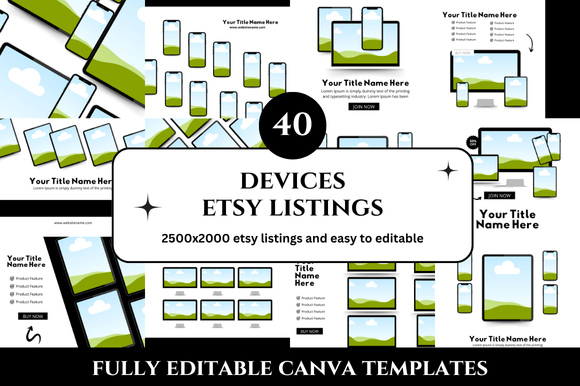
You put hours into your Etsy listing photos, descriptions, and SEO. You tweak the brightness, choose the perfect background, and double-check that your text is readable. Then someone opens your shop on an old Android tablet, and everything looks squished or off-center. That gap between what you design and what your customer actually sees is where the 40 Devices Etsy Listings Mockup steps in. It’s not just a bundle of screenshots. It’s a way to preview your work across forty distinct screen sizes and resolutions before a single shopper clicks “add to cart.”
The Reality of Shopping on Multiple Screens
Most of us check Etsy on whatever device is closest. In the morning, that might be a phone propped against a coffee mug. At lunch, a work laptop. Late at night, a tablet in bed. Each screen changes how your listing appears—the cropping, the color saturation, the spacing of your text. The 40 Devices Etsy Listings Mockup gives you a side-by-side look at how your product thumbnails, titles, and shop banner behave across that full range. It shows you not just the ideal scenario but the real ones: the small phone where your title gets cut off, the widescreen monitor where your photo looks too narrow, the budget tablet where colors wash out. For a shop owner who values consistency, this insight is gold.
Beyond the Obvious: Who Benefits Most
It’s easy to assume that every Etsy seller needs this, but the practical value varies by what you sell and how you sell it. A few examples:
- The jewelry maker who photographs every piece by hand. They want to ensure fine details—chain links, gemstone facets, clasp finishes—don’t turn into blurs on a small screen. The mockup helps them decide if they need a tighter crop or a closer zoom.
- The digital product creator who sells printable wall art or planners. For them, the listing itself is a preview of the downloadable file. Seeing it on forty devices reveals whether the mockup text remains legible and if the scale feels right across screens.
- The vintage curator with one-of-a-kind items. They can’t reshoot a vintage coat once it sells. The mockup lets them verify that the photos they have will look accurate and inviting on any device, reducing return requests due to “it looked different on my phone.”
For each type of seller, the 40 Devices Etsy Listings Mockup serves a different purpose: checking detail clarity, layout consistency, or color fidelity.
Real-World Scenarios: When You Actually Need to See 40 Views
There are moments in running a shop where a single listing check isn’t enough. Picture these situations:
- Launching a new product line. You have ten new items going live at once. Instead of testing each on your own phone and tablet, you run them through the mockup set. It catches a problem with your main image—the product label is partially hidden at a certain aspect ratio. You fix it before any customer sees it.
- Redoing your shop branding. You’ve changed your banner, logo, and listing template colors. The mockup shows you that your new pastel background looks washed out on lower-resolution screens. You adjust the contrast and check again. The result is a cohesive look that holds up everywhere.
- A/B testing thumbnail styles. You want to see if a close-up photo versus a lifestyle shot works better. The mockup lets you preview both across devices to see which one remains recognizable when scaled down. You might find that the lifestyle shot loses context on small phones, so you choose the close-up for primary images.
- Collaborating with a photographer or graphic designer. You brief them using the mockup set. They see exactly how their images will render, which saves back-and-forth revisions. It’s a shared reference that keeps everyone aligned on dimensions and resolution.
The Practical Side: What to Look For in a Mockup Set
Not all mockup resources are created equal. When you’re choosing or using a 40 Devices Etsy Listings Mockup, keep a few practical points in mind:
- Image quality. Does the mockup preserve the original resolution of your listing photos? A mockup that compresses your images defeats the purpose. Look for sets that maintain sharpness, especially for text-heavy listings.
- Ease of replacement. You want a mockup where you can drop your screenshots into smart objects or dedicated layers. Complex file sets without clear instructions can eat up more time than they save.
- Relevance of devices. Forty devices sounds comprehensive, but some may be obsolete or rare in your target market. A good set includes a mix of popular iPhones, Android models, iPads, laptops, and desktops from the last few years. Check that the list covers devices your audience actually uses.
- File format. PSD files are standard, but some sellers work with other tools. If you use Canva or mockup generators, verify that the file format is compatible with your workflow.
One strength of this approach is clarity. You see what your customer sees, which helps you avoid assumptions about how your listing looks. A limitation is that mockups show the device frame but not real-world conditions like screen brightness or ambient lighting. They also can’t simulate the scroll position or how your listing sits among search results. Use the mockup as a diagnostic tool, not a substitute for testing on actual devices when possible.
Different Industries, Different Needs
Think about how the same mockup set serves different product categories. A home decor seller who lists large canvases or furniture will look for how scale translates. On a small phone, a rug might look like a tiny rectangle. The mockup reveals whether you need a detail shot to show texture. A clothing seller, on the other hand, cares about fabric patterns and seam lines. On a low-resolution screen, a plaid pattern might become a color blob. The mockup helps you decide if you need multiple angles to preserve that detail. A printable seller uses the mockup to ensure that text is legible and that the overall design stays balanced. For them, the mockup is almost a quality assurance step before a customer clicks purchase.
A Workflow Perspective: Integrating Mockups into Your Routine
Make the 40 Devices Etsy Listings Mockup part of your listing preparation, not just a final check. After you write your title and tag your photos, run a quick scan through the mockup set. You might spot that your second image, which looks fine in full size, gets cropped awkwardly on a tablet. You can then reorder your photos or adjust the composition. Use it again when you update your shop banner or change your listing style. Over time, you’ll develop an eye for what works across screens, and you’ll need the mockup less often. But for that first few months of a new shop or a major rebrand, it’s a time-saving tool that prevents small mistakes from becoming customer complaints.
When you’re ready to try it, look for a set that fits your design skills. Some sellers prefer drag-and-drop solutions, while others want full editing control. The important thing is that it shows you your listings on a wide range of devices without requiring you to own each screen. That’s the core promise: one set of files, forty perspectives, and a clearer picture of how your work will look in someone else’s hands.