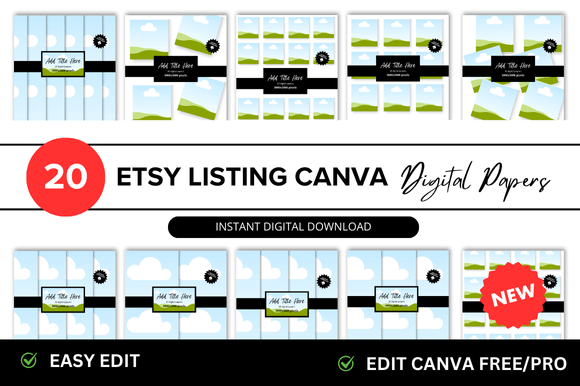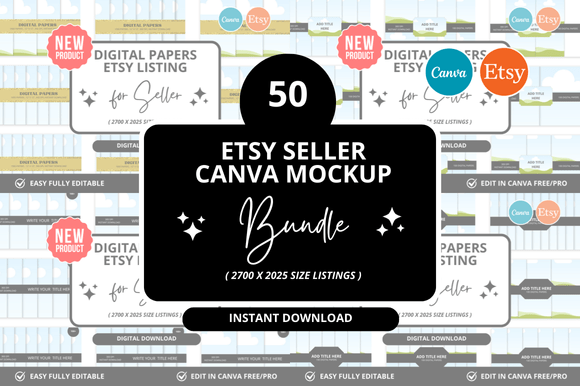
50 Digital Papers: Etsy Listing Mockup Guide
If you sell digital papers on Etsy, you already know that the listing image is the first thing a buyer sees. A strong mockup can make the difference between a casual scroll and a click that leads to a sale. The concept of a 50 Digital Papers Etsy Listings Mockup isn't just about showing off patterns—it's about solving a real problem: how do you display a large collection in a way that feels organized, inspiring, and easy to browse? This approach bundles multiple paper designs into a single visual story, letting potential customers imagine how those textures and colors will work in their own projects.
Digital paper packs are a staple on Etsy for scrapbookers, graphic designers, party planners, and small business owners. But with hundreds of sellers offering similar products, your listings need to stand out without feeling cluttered. A well-crafted mockup for a set of 50 digital papers does exactly that. It presents variety without overwhelming the viewer, and it builds trust by showing exactly what’s inside before a purchase. Let’s walk through how you can use this mockup strategy to create listings that connect with your audience and showcase your creative work.
What Makes a 50-Paper Mockup Unique
A mockup for 50 digital papers isn’t a single image of one pattern. It’s a collection of thumbnails, flat lays, or arranged swatches that give a buyer a complete overview. The key is to balance quantity with clarity. When you have 50 designs to show, you can’t just dump them into a grid—you need to group them by theme, color palette, or style. For example, you might arrange floral patterns in one row, geometric shapes in another, and watercolor textures in a third. This structure helps browsers quickly find what they need, whether they’re looking for wedding invitation backgrounds or social media graphics.
What makes this mockup format especially useful is its flexibility. You can use it for seasonal bundles, like winter-themed papers with 50 variations, or for evergreen collections that cover neutral tones and versatile prints. The mockup becomes a catalog within a single image, saving you time on listing creation while giving buyers a richer preview. It also reduces the risk of returns because customers can see the full range of colors and styles upfront. For a seller, this means fewer questions in the inbox and more confident purchases.
For Crafters and Scrapbookers
Scrapbookers love having options. A 50-paper mockup lets them see how different patterns coordinate for a cohesive album. If you design papers with vintage florals, polka dots, and striped backgrounds, arrange the mockup so that complementary designs sit close together. Use a flat-lay photo with real scissors, washi tape, or a photo corner to show scale and texture. This approach helps crafters visualize how the papers will look on a physical page. Pair the mockup with a simple list of paper sizes (like 12x12 or 8.5x11) to make decision-making easier.
For Graphic Designers
Designers often need digital papers for branding projects, digital invitations, or social media templates. They care about color accuracy and resolution. In your mockup, include a close-up detail shot of one or two papers to show the texture and print quality. You can also add a tag that highlights the file format (JPEG, PNG, or PDF) and DPI. A designer might be looking for seamless patterns or repeat-friendly designs, so consider including a small sample of a tiled pattern in the mockup. This shows that your 50-paper set was created with professional use in mind.
For Small Business Owners
Small business owners who run party planning or invitation shops need papers that work for themed events. If your 50-paper set includes birthday, baby shower, or holiday designs, group them by occasion in the mockup. Use a layout that separates each theme with a subtle divider or color-coded border. This makes it easy for a busy owner to spot the papers they need for a client’s order. Include a mockup that shows a finished product, like a decorated cupcake topper or a party banner, to demonstrate real-world application.
Adapting Mockups for Different Platforms and Formats
Etsy listings live on multiple screens—desktop, tablet, and phone. A mockup with 50 papers needs to be readable even on small screens. Use a grid layout with at least four columns on desktop, but test how it looks on mobile. You might need to create a separate vertical mockup for mobile browsers where thumbnails stack cleanly. Avoid tiny text or details that disappear when scaled down. Use clear labels, like “Color Group A” or “Seasonal Mix,” but keep them short.
For social media promotion, you can crop a section of your mockup as a teaser. Instagram carousels work well here: show the full mockup as the first slide, then zoom in on a few favorite papers in subsequent slides. Pinterest images should highlight the most visually striking paper from the set, with a note that there are 50 total. These adaptations keep your mockup consistent across platforms while tailoring it to each audience’s browsing habits.
Practical Tips for Clear, Organized Mockups
Keeping 50 papers organized in one mockup requires intentional design. Start by sorting the papers into categories. You might use color families, pattern types, or intended uses. Create a legend or index if the mockup is complex, but keep it minimal—a small text overlay with numbers or letters that correspond to the file names can help. Avoid using more than five fonts in one mockup to maintain a clean look.
Use consistent lighting and shadows if your mockup is a flat lay. Natural light works best for showing paper texture. If you’re using digital mockup templates, choose ones that allow you to swap in your patterns easily. Many sellers use layered PSD files where each paper can be placed inside a frame or a stack. This saves time and ensures every mockup has the same structure. For a 50-paper set, consider splitting the mockup into two images: one overview and one detail view with a few enlarged patterns. This gives buyers both the big picture and the close-up.
Consistency across listings builds trust. If you have multiple 50-paper sets, use the same mockup format for each. That way, return customers know what to expect. Place your best-selling or most distinctive paper in the top-left corner of the grid, as that’s where eyes tend to land first. Label the mockup with the total count—say “50 Designs Included” in a bold but subtle area—so buyers immediately grasp the value.
Balancing Inspiration with Practical Guidance
Inspiration is important, but it needs to be grounded in what buyers actually do with the papers. Instead of vague phrases like “endless possibilities,” show one specific project idea next to the mockup. For example, include a small image of a greeting card made with two of the papers from the set. This connects the digital product to a tangible result. You can also include a short bullet list in your listing description that explains how the papers can be used: for digital scrapbooking, event flyers, blog backgrounds, or product packaging. This action-oriented guidance helps buyers feel confident that they can start using the papers immediately after purchase.
Another practical approach is to offer a sample pack. If you have 50 papers, include a free download of 3–5 low-resolution versions in the listing. The mockup can show which ones are part of the free sample. This reduces friction for hesitant buyers and gives them a test drive of your style. The full set remains the paid product, but the sample demonstrates quality. This tactic works especially well for new Etsy shops building an audience.
Real Examples of Effective Mockup Use
Imagine a set called “Watercolor Garden: 50 Digital Papers.” The mockup might show all 50 papers arranged in five rows of ten, with a soft botanical border around the edge. Each row represents a color family: pinks, purples, greens, blues, and neutrals. In the center of the mockup, there’s a larger image showing a paper with a detailed watercolor rose. This layout immediately communicates both the breadth and the quality of the collection.
Another example could be “Geometric Minimalist: 50 Patterns for Modern Branding.” Here, the mockup uses a clean grid with white borders between each paper. The colors are monochrome with gold or copper accents. Next to the grid, there’s a small mockup of a business card and a website header using two of the patterns. This shows designers exactly how the papers fit into a branding system. The practical takeaway is that the mockup is not just a display—it’s a portfolio of possibilities.
Keeping Your Mockup Original and Audience-Friendly
Originality comes from the way you curate the 50 papers. Don’t just mix random patterns; create a cohesive story. If the set is for a holiday, include a signature color combo that ties everything together. If it’s for education, use child-friendly illustrations and bright primary colors. The mockup should reflect that focus. Avoid copying the exact layout from other shops—experiment with arranging papers in a circle, a spiral, or a cascading stack. These unique layouts catch the eye while still being functional.
Audience-friendly design means thinking about accessibility. Use high-contrast labels if you have text. Ensure that the mockup is not too busy—white space is your friend. Consider that some buyers might be colorblind, so include pattern names or numbers rather than relying only on color descriptions. These small adjustments make your listing more inclusive and can improve your shop’s reputation.
Finally, every mockup should feel like a honest representation of the product. Don’t enhance colors beyond reality or hide paper textures that might affect printing. If the papers are designed for digital use only, state that clearly in the mockup or description. This builds transparency and reduces negative reviews. When buyers feel that the mockup matches the download, they are more likely to leave positive feedback and return for future sets.
The 50 Digital Papers Etsy Listings Mockup is more than a visual tool—it’s a strategic asset for your shop. By grouping 50 patterns into a clear, organized preview, you save buyers time and help them make informed choices. Whether you’re a designer selling to other creators or a hobbyist sharing your latest collection, a thoughtful mockup turns a large bundle into an approachable, desirable product. Focus on clarity, audience needs, and consistent presentation, and your listings will stand out in a crowded marketplace.