Mastering Etsy Listings with a 50-Device Mockup: Your Complete Guide
If you sell digital products on Etsy—whether it’s printable wall art, planners, social media templates, or digital stickers—you know that the first impression happens in a thumbnail. Your listing image is the single most powerful tool you have to stop a scroller and earn a click. But creating professional, device-rich mockups that show your product in context used to require design skills, multiple software subscriptions, and hours of editing. That’s where a 50 Devices Etsy Listings Mockup comes in. This all-in-one template bundle lets you showcase your design on dozens of screens—from smartphones and tablets to laptops, desktops, smartwatches, and even e-readers—with just a few clicks. In this article, we’ll explore what this tool is, why it matters for your shop, how to use it effectively, and how it fits into the broader landscape of modern e-commerce and brand building.
What Is a 50-Device Etsy Listings Mockup?
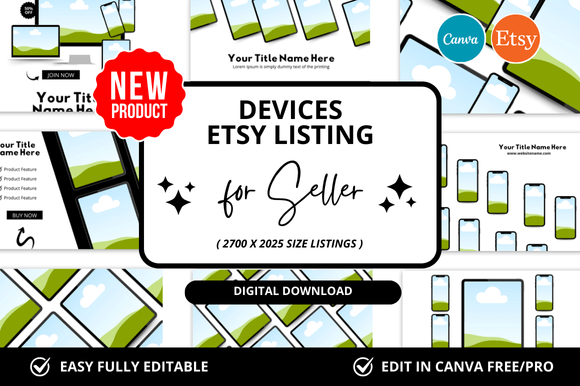
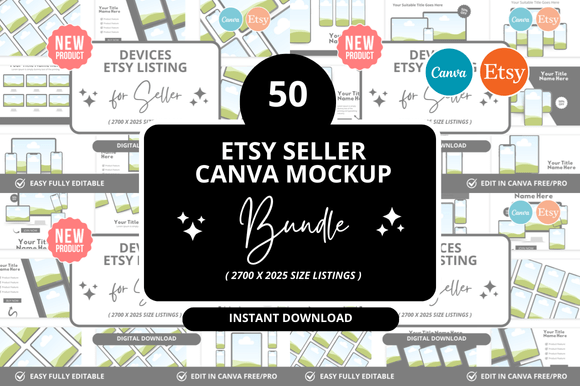
At its core, a 50 Devices Etsy Listings Mockup is a bundle of pre-designed, layered digital templates. Each template features a realistic image of a device—like an iPhone, iPad, MacBook, iMac, Samsung Galaxy, Kindle, or Apple Watch—with a designated area where you can drop in your own artwork or design. The term “50 devices” means the set includes mockups for at least fifty different screen sizes and form factors, giving you an enormous variety of presentation options for a single product.
These files are typically created for software like Adobe Photoshop, Canva, or Affinity Photo, and they use smart object layers. A smart object is a placeholder that you double-click, paste your design into, and save. The mockup then automatically renders your artwork inside the device screen, complete with realistic reflections, shadows, lighting, and environmental context. The result is a professional listing image that looks like a studio photograph, even if you have zero photography skills.
The purpose of a 50-device set is not just variety for variety’s sake. It gives you the flexibility to choose the most persuasive device for each type of buyer. For example, a printable calendar might look best on a tablet or a wall frame mockup, while a digital planner might be more convincing displayed on a phone and a laptop side by side. With 50 options, you can tailor your presentation to your target audience’s actual usage scenario.
Why Mockups Matter for Etsy Success
Etsy is a visual marketplace. According to multiple studies, listings with high-quality, context-rich images can see conversion rates that are 30 to 50 percent higher than those with plain, flat mockups or no context at all. A 50-device mockup set addresses several critical needs for Etsy sellers:
- Builds instant trust: When a buyer sees your design on a realistic device, they immediately understand how the product will look in real life. This reduces uncertainty and return rates.
- Differentiates your shop: In a search results page full of thumbnails, a mockup that shows your art on a glowing laptop or a sleek phone stands out against generic white-background images.
- Supports multiple listing photos: Etsy allows up to ten images per listing. With 50 devices, you can create a cohesive set of listing photos that tell a story—from a wide shot of the product in a room to a close-up on a specific device.
- Works across categories: Whether you sell wall art, digital planners, resume templates, or social media kits, device mockups let you show the product in its intended context, which is especially important for digital goods.
Moreover, using a single mockup set across your entire shop creates brand consistency. When all your listing images share a similar style, lighting, and device selection, your shop looks more professional and curated. This visual coherence can encourage buyers to browse more listings and increase average order value.
The Power of Device Variety in Modern Marketing
In today’s multi-device world, people interact with content on smartphones, tablets, laptops, desktops, smartwatches, and even smart home displays. A 50-device mockup reflects this reality and helps you connect with buyers where they are. Here’s how it fits into different aspects of modern life and business:
E-commerce and Social Media
Social media platforms like Instagram, Pinterest, and TikTok are visual-first. A single mockup image can be repurposed into a pin, a post, a story, or a banner. Having 50 different device orientations means you can create a library of promotional assets that feel fresh and varied. For instance, you could post a square crop of a phone mockup on Instagram, a vertical tablet mockup on Pinterest, and a widescreen laptop mockup on your Etsy banner—all from the same product file.
Education and Digital Products
If you sell educational printables, workbooks, or course materials, showing your product on a tablet or e-reader (like a Kindle or iPad) immediately communicates portability and convenience. A 50-device set often includes these specific devices, which are crucial for educational sellers. Buyers can visualize using your product in a coffee shop, on a commute, or during a study session.
Business and Branding
For sellers of business templates, resume designs, or branding kits, showing your product on a laptop or desktop screen conveys professionalism. A mockup of a resume on a MacBook, for example, signals that your template is modern and ready for the job market. Similarly, a branding kit displayed on multiple devices (phone, tablet, laptop) shows that the design is versatile and responsive—a key selling point for small business owners.
Creativity and Art
Art sellers benefit enormously from device variety because wall art is often bought as a digital file that the buyer prints themselves. While a wall frame mockup is ideal, showing the same art on a tablet or laptop can also help buyers imagine it in different contexts—on a desk, in a digital frame, or as a screensaver. The more ways you can show your art, the more likely a buyer will connect with it emotionally.
How to Use a 50-Device Mockup Effectively
Getting the most out of a 50-device mockup set involves more than just dropping in your design. Follow these steps for maximum impact:
- Choose the right device for each listing. Don’t use the same device for every product. Match the device to the product’s primary use case. A social media template belongs on a phone; a resume belongs on a laptop; a printable planner might work best on a tablet or in a flat lay that includes a phone.
- Create a cohesive listing set. Use 3–5 different device mockups for a single listing. For example: one hero image with the product on a laptop, a second image showing it on a phone, a third showing it in a lifestyle scene, and a fourth with a close-up detail. This variety helps Etsy’s algorithm and gives buyers a richer understanding.
- Maintain consistent lighting and background. Most 50-device sets come with multiple background options (solid colors, desks, room scenes). Stick to 1–2 background styles across your shop to reinforce your brand identity.
- Optimize for mobile viewing. Over 60% of Etsy traffic comes from mobile devices. Make sure your mockup thumbnails are clear and readable even on small screens. Avoid putting critical text in corners that might get cropped.
- Use mockups for social proof. Consider creating a “lifestyle” image that shows your product being used by a hand or in a real room. Many 50-device sets include hands holding devices or desk scenes that add human warmth.
Common Misunderstandings About Device Mockups
While device mockups are powerful, there are a few misconceptions that can limit their effectiveness:
- “Mockups are only for tech products.” This is false. Digital wall art, printables, planners, workbooks, and even physical product photos can benefit from device context. A printable quote looks more desirable when it’s displayed on a tablet in a cozy room than as a flat PNG file.
- “More devices always mean better.” Having 50 options is great, but using them all in one listing can overwhelm buyers. Select 3–5 that best represent your product. Quality over quantity applies here.
- “Mockups replace good product design.” No mockup can fix a weak product. Your design must be strong on its own. Mockups are a presentation tool, not a substitute for value.
- “I need design skills to use mockups.” Many modern mockup sets are designed for Canva or include video tutorials. If you can drag and drop an image, you can use a mockup. The smart object system in Photoshop is also beginner-friendly once you understand the double-click workflow.
Choosing the Right 50-Device Mockup for Your Shop
Not all mockup bundles are created equal. When selecting a 50-device set for your Etsy shop, consider these factors:
- File format compatibility: Make sure the set works with the software you use (Photoshop, Canva, Procreate, etc.). Canva-compatible mockups are ideal for beginners.
- Device diversity: Look for a mix of phones, tablets, laptops, desktops, and unique devices like smartwatches, e-readers, or vertical screens. The more variety, the more versatile your listings will be.
- Background options: Some sets include multiple backgrounds (clean white, wooden desk, dark studio, outdoor scenes). This allows you to vary your aesthetic without buying multiple products.
- License and usage terms: Ensure the commercial license allows you to use the mockups for Etsy listings, social media, and marketing. Most reputable sellers on Etsy or Creative Market offer commercial use, but always double-check.
- Customer support and guides: A good set includes a PDF or video walkthrough. This is especially helpful if you’re new to mockups.
Beyond the Listing: Broader Applications of Device Mockups
While this article focuses on Etsy, a 50-device mockup set has uses far beyond the marketplace. Freelancers can use it to showcase portfolio pieces. Bloggers and content creators can create consistent social media graphics. Small business owners can produce professional product images for their own e-commerce sites. Even educators can create visually engaging materials for online courses. In a world where visual communication is paramount, having a library of device mockups is like having a photography studio in your pocket. It democratizes high-quality product presentation, allowing anyone with a digital product to compete with larger brands.
Final Thoughts: Building a Broader Understanding
A 50 Devices Etsy Listings Mockup is more than just a design asset. It is a strategic tool that bridges the gap between a digital file and a buyer’s imagination. By showing your product on the devices your customers actually use, you build trust, increase clarity, and drive conversions. Whether you are a seasoned Etsy seller with hundreds of listings or a beginner launching your first product, investing in a high-quality mockup set is one of the highest-ROI decisions you can make for your shop. It saves time, ensures consistency, and elevates your brand above the noise. So explore the options, pick a set that aligns with your style, and start creating listing images that truly reflect the value of your work. Your next sale might just begin with a single, perfect mockup.