Etsy Listings Mockup for Any Device
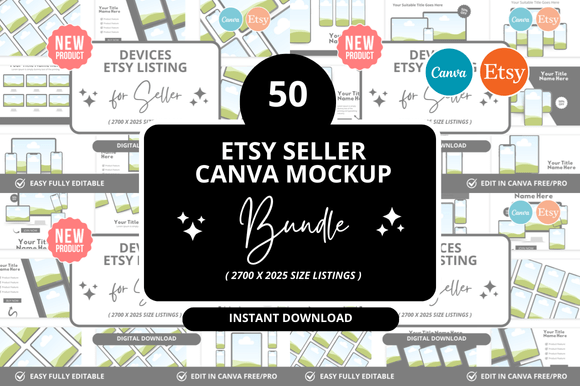
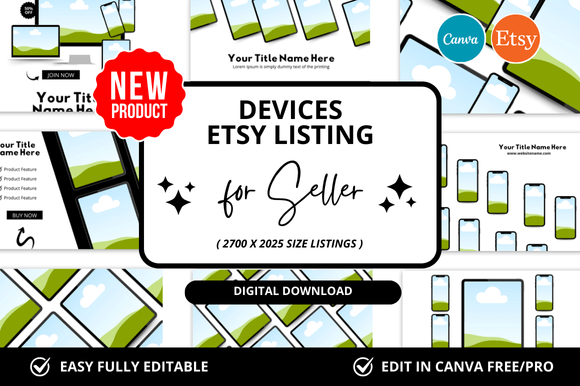
If you sell or create for Etsy, you know the listing image is your first handshake with a buyer. But that handshake happens on many screens—phones, tablets, laptops, and desktops. A Devices Etsy Listings Mockup is a layered template that lets you place your product shot into realistic device frames. Instead of a flat square, you show your item on an iPhone, iPad, or MacBook, often from multiple angles. The result is an instant visual story: here’s how my digital art looks on a phone wallpaper, or how this printable planner fits on a tablet screen.
For sellers, these mockups bridge the gap between “file for sale” and “real-life value.” A buyer scrolling on their phone sees their own screen reflected in your image. That moment of recognition can turn a maybe into a click. But the real power of a Devices Etsy Listings Mockup goes deeper than first impressions—it helps different makers, creators, and even shoppers evaluate the same tool from completely different angles.
Why the Same Mockup Matters Differently to Different People
A single mockup can serve a seller who has never touched Photoshop, a designer who obsesses over light reflections, or a customer who wants to picture a product in their home. Your role decides what you look for first.
For the Beginner Seller: Ease of Use Over Everything
New Etsy sellers often feel buried by the list of tasks: shoot photos, write descriptions, set prices. Adding “create device mockups” can sound overwhelming. But beginner-friendly Devices Etsy Listings Mockup files come as smart objects in Photoshop or as layered PSDs with instructions. You open the file, double‑click the smart object layer, drop in your image, save, and the mockup updates automatically. No masking, no perspective adjustments.
Practical example: You sell digital wall art. You buy a mockup bundle that includes an iPad frame, a phone frame, and a laptop frame. You place your art into each in under five minutes. Now your Etsy listing shows the same piece on three devices. Buyers can instantly imagine how it looks in their own setup. For a beginner, the mockup does the heavy lifting of professionalism. The priority is speed and confidence—you don’t need design skills to look like you have them.
For the Experienced Seller or Creator: Flexibility and Quality
Once you’ve sold on Etsy for a while, you notice that standard mockups feel generic. The same golden-hour lighting, the same clean desk setup. You need flexibility—the ability to adjust shadows, change backgrounds, or match the mood of your brand. High‑end Devices Etsy Listings Mockup sets offer separate lighting layers, color overlays, and multiple angles.
Practical example: A creator sells printable planners. They want an iPad mockup that shows the planner in a cozy coffee‑shop setting during winter, then a beach setup in summer. Instead of buying two different mockups, they use a comprehensive set with movable props and adjustable lighting. They can rotate the device, change the background, and even tweak the screen reflection. The value here isn’t speed—it’s creative control. Long‑term usefulness matters because the same mockup can evolve with the brand.
For a Professional Designer or Agency: Presentation and Commercial Value
Agencies and freelance designers often handle multiple Etsy stores or create mockup bundles to sell themselves. For them, a Devices Etsy Listings Mockup is a tool to demonstrate polish. They might need a mockup that looks hyper‑realistic—down to the fingerprint smudge on the screen or the subtle curve of the phone edge. This is where quality becomes the top priority.
Practical example: A designer builds a listing for a client who sells digital invitations. They use a mockup where the phone sits on a wooden table with natural light coming from the side. The screen shows the invitation with a slight angle. The listing stands out because the mockup looks like a real photograph, not a template. The client’s conversion rate improves, and the designer’s reputation grows. For this group, cost is secondary to reliability and realism.
For a Small Business Owner or Entrepreneur: Speed and Consistency Across Products
Small business owners often sell entire collections—fonts, graphics, templates, crafts. Managing multiple listings means creating dozens of listing images quickly. A reliable Devices Etsy Listings Mockup that works across different products saves hours a month.
Practical example: A shop sells vector illustrations. They have 200 listings. Instead of photographing each illustration on a device, they use a mockup with a changeable background color. They batch‑produce listing images: drop illustration into mockup, export, repeat. Within an afternoon, all 200 listings have consistent, device‑focused main images. The owner prioritizes speed and batch workflow over artistic variation.
Priorities That Vary by Audience
Not every mockup fits every need. Here’s how different readers might weigh the same factors.
- Ease of use vs. learning value: Beginners want no learning curve. Hobbyists or students might appreciate a mockup that teaches them basics of layers and masks, adding learning value even if it slows them down.
- Cost vs. commercial value: A free mockup can be fine for a one‑time listing. But if you plan to sell hundreds of items, a paid bundle with commercial license saves legal headache and looks more polished.
- Creativity vs. presentation: Some mockups are minimal (just a device frame). Others include elaborate scenes. Creatives who love storytelling choose the latter; sellers focused on quick product clarity choose the former.
- Long‑term usefulness: A mockup that goes out of style (e.g., last year’s phone model) might hurt credibility. Updated sets or those with multiple device versions last longer.
How to Decide if a Devices Etsy Listings Mockup Matches Your Goals
Before you buy or download a set, ask yourself three questions tailored to your role.
For Product Sellers (Digital or Physical)
If you sell printable wall art, digital planners, fonts, or craft patterns, your mockup needs to show the product in use. A phone screen mockup is essential for smartphone‑focused items. A laptop mockup is better for desktop‑oriented products like resume templates or ebooks. Consider the device your ideal customer uses most. If you sell phone wallpapers, an iPhone 15 Pro mockup with a strong display simulation is better than a generic tablet frame.
For Educators and Hobbyists
Teachers who create resources for students might use mockups to show worksheets on a tablet. Hobbyists selling digital painted backgrounds can show them on a framed iPad. For these groups, cost often matters more than ultra‑realism. Free or low‑cost mockups with clear smart object layers are ideal.
For Marketers and Bloggers
If you promote products through social media or blog posts, a Devices Etsy Listings Mockup can also work for Pinterest pins, Instagram carousels, or feature images. The same mockup that sells on Etsy also builds your brand off‑platform. For this audience, versatility—being able to resize the mockup or change background—is key.
Beyond the Listing: How Mockups Fit into the Bigger Picture
A Devices Etsy Listings Mockup isn’t just a file—it’s a trust signal. When you show your product in a real environment, you reduce the buyer’s uncertainty. They think, “Yes, this will work on my phone,” or “I can see exactly how that font looks on a screen.” That reassurance matters across every audience, from a college student buying a budget‑friendly planner to a professional investing in a premium font set.
When a Mockup Might Not Be the Best Fit
Not every Etsy listing needs a device mockup. If you sell physical handmade items like jewelry or pottery, a live photograph on a model or surface tells a better story. Mockups shine for digital products and screen‑based services. Also, if your product is a simple SVG cut file for crafting, showing it on a cutting machine screen might be more relevant than an iPhone frame. Match the mockup to the product type.
Practical Steps to Try Without Overcommitting
If you’re new to Devices Etsy Listings Mockup files, start small. Look for a free set that includes one phone mockup and one laptop mockup. Place your best‑selling product into both and compare how they look in your Etsy search results. Notice if the mockup increases click‑through rate over a plain white background. That feedback tells you whether the investment (time or money) pays off.
For those with more experience, try editing a mockup’s background or adding a subtle shadow that matches your brand colors. Even small tweaks can make a listing feel cohesive across your entire shop.
Reliability and Updates
Mockup files created for older device models (like iPhone 6) can look dated. When buying, check the file description for the device version and release date. Many creators update their sets annually. A reliable seller provides clear instructions and support. Reading reviews from other Etsy sellers can reveal whether the file actually works as promised in Photoshop, Procreate, or Canva.
Ultimately, the right Devices Etsy Listings Mockup helps you present your work authentically, save time, and connect with buyers who see their own devices in your images. Whether you are a beginner testing your first listing or a professional building a visual brand, the mockup should serve your story—not the other way around.